Thursday, November 16, 2006

Wildlife !

The animal’s movements are programmed to correspond to the speed of the car: as the car moves, the animal runs along it speeding up and slowing down with the car, as the car stops, the animal stops also.
  • [Project Link]
  • Thursday, November 09, 2006

    Made by Quartz Composer !

    This MV is made by After Effect and Quartz Composer. Check it out!
  • [The Lava Flow]
  • [Hi Quality QT Movie]

  • Another VJ Stuff !

    Take a look at the "MotionDive Tokyo". It's a cool VJ software with nice interface and already widespread used in both England and Japan.
  • MDT Website
  • Special console from Roland
  • MDT main website

  • Wednesday, October 25, 2006

    Flash Video

    [ Extra ] Choose your best flv encoding settings.
  • Flash Video FAQ
  • Media Skin

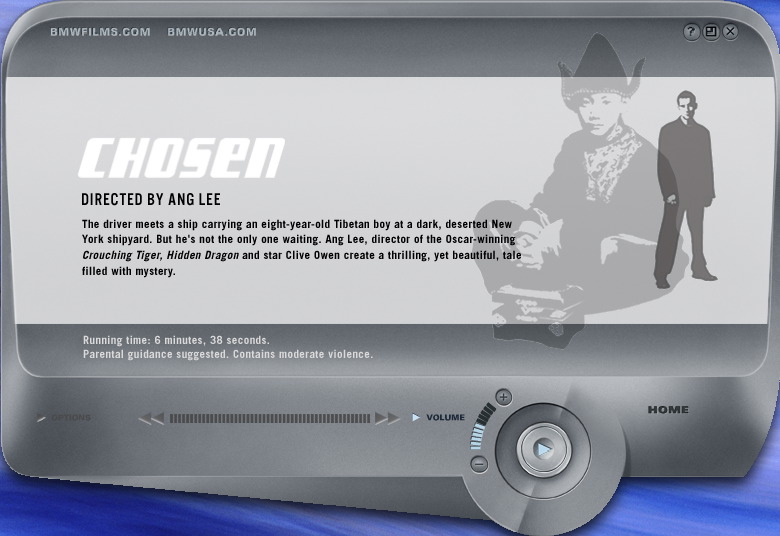
    The last one I want to show is Media Skin for QuickTime. We can personalize QuickTime interface by creating the Media Skin. If we combine the Skin Track with Flash and Stream Video, it would be one of the coolest ways to show your video to the world.

    P.S. It’s too bad that BMW Films has pull down the excellent online example.

    [ Media Skin ]
    Example:
    Media Skin from Apple
    BMW Films (no longer available)

    Software:
    Tattoo

    Tutorials:
    Tutorial - 1
    Tutorial - 2

    SubTitle

    QuickTime contains many “Track” ideas itself. The Text track is one of the useful tracks. I’ll show an easy way to make a subtitle for a movie.

    After attach the Text Track, we can do search with our movies. The same idea can be apply to build a HREF Track and Chapter Track.

    [ Subtitle ]
    Reference:
    Text Descriptors

    Tutorial:
    Text Tracks

    Software:
    Textation - QuickTime Text Track Editor for Mac OS X

    Motion VR

    Motion VR, another world is built the panorama VR with video clips. It’s a very interesting way to look the world. For the hardware part, basically you can make it by stitch a bunch of cheap web cams.
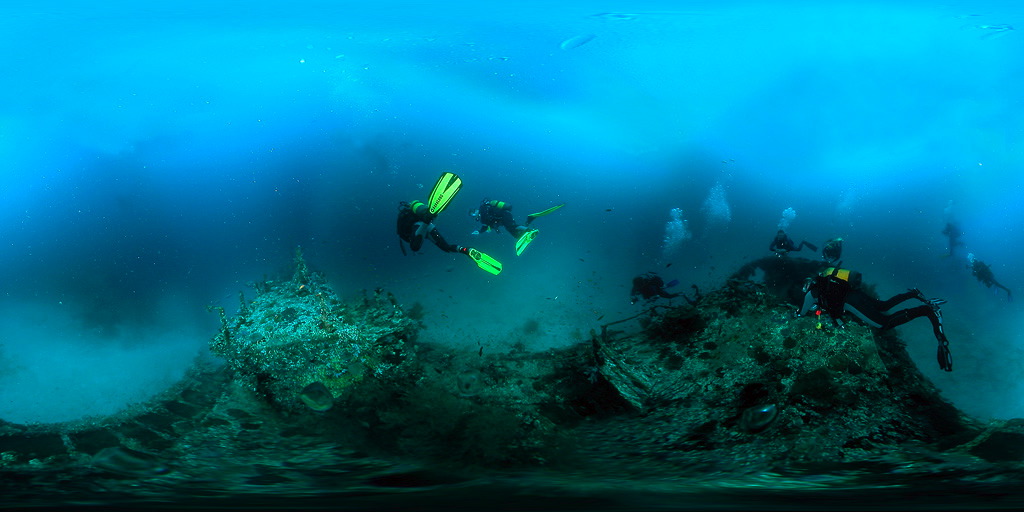
    I provide two ways to rich the goal. One is home brew way, show in “Tutorials” links, another way is spend money to buy the special hardware like “FlyCam”.

    [ Motion VR ]
    Example:
    Immersivsions
    Denis Gliksman
    World in Motion VR
    Dynamic Surround Video

    Tutorials:
    Inertia, LLC
    Cheep way to do Panaramic Video

    Hardware:
    FlyCam
    Full View
    Point Grey

    QTVR

    As most of people have known, there are at last three different kinds of VR. One is Panorama VR another one is Object VR the other is Cubic VR.

    The fallowing links that I show are different experience for using VR. For example, we can combine QTVR with SMILE or other language to build a virtual shopping mall. The other example is showing the Cubic VR underwater.

    [ QTVR ]
    Example:
    Shopping Example
    reFocus

    Tutorals:
    Goal
    Learn QTVR in 10 mints

    Software:
    VR Worx
    Stitcher

    QuickTime

    QuickTime player is not only one of the video players but also a great video authoring tools in the world. Although we can easily find the reference from Apple’s website, there are couple things that I would like to emphasize. They are VR in motion, Media Skin and Text Track.

    LiveStage Pro is one of the best tools that I have used. It works very well if you want to build the interactive video with QuickTime format and don’t like hand coding with the QScript. You can probably get most of things done by using this cool authoring tool.

    [ QuickTime ]
    References:
    QuickTime Fundamentals
    Interactive Movies
    Resources Page
    Developer Page
    Authouring Tools list
    Another List

    Software:
    Live Stage Pro - QuickTime Interactive Authoring Tool
    Blue Abuse (not available)
    BackStage - Live Stage references

    Thursday, October 05, 2006

    DVD project !

    The initial idea is we don’t want this project looks like a regular DVD-menu project. After discussion for a long time, we decide to create an unlimited looping video. The beginning part of the DVD video is also the end of the video. In the video, we prepare one container and three elements. One jar include water, another one has coffee. The third one is a live fish. The rule is user can click ether one of the jar or fish, but you will never see the coffee will mix with cute fish.

    Wednesday, September 20, 2006

    Murtaugh Interactive Narrative

    A director must know a good way to tell a story. Before the footage became a movie, the “editing process” for the director (of course including the editor) is a kind of interactive activity, and the content should look like non-narrative. The director will sit in front of the editing machine and manipulate those clips until they can represent what director want to tell to the audience.

    The experience of watching interactive video is similar to surfing the Internet with wrong keywords. After pull down the data online, it includes useless information. The information, sometimes, will lead me away from my target. I have to spend a lot of time to filter the result or to collect the relative data into one place. The same situation happens when I’m watching the interactive video. I have to spend a lot of time to figure out the meaning of each clip. After that, maybe I have to spend another 20 minutes to reorder them. If all the clips don’t have any obvious meaning to me, the whole process will looks just wasting my time to get a meaningless video clip.

    That’s the reason why, so far, I like the narrative movie rather then the interactive video.
    All I need is one-good-story.